How it works
From your first vehicle to a balanced day — in four steps.
These are the real VECTRA screens, shown with fictional demonstration data. Here's what you'd use every day as a PSV owner or fleet manager.
01
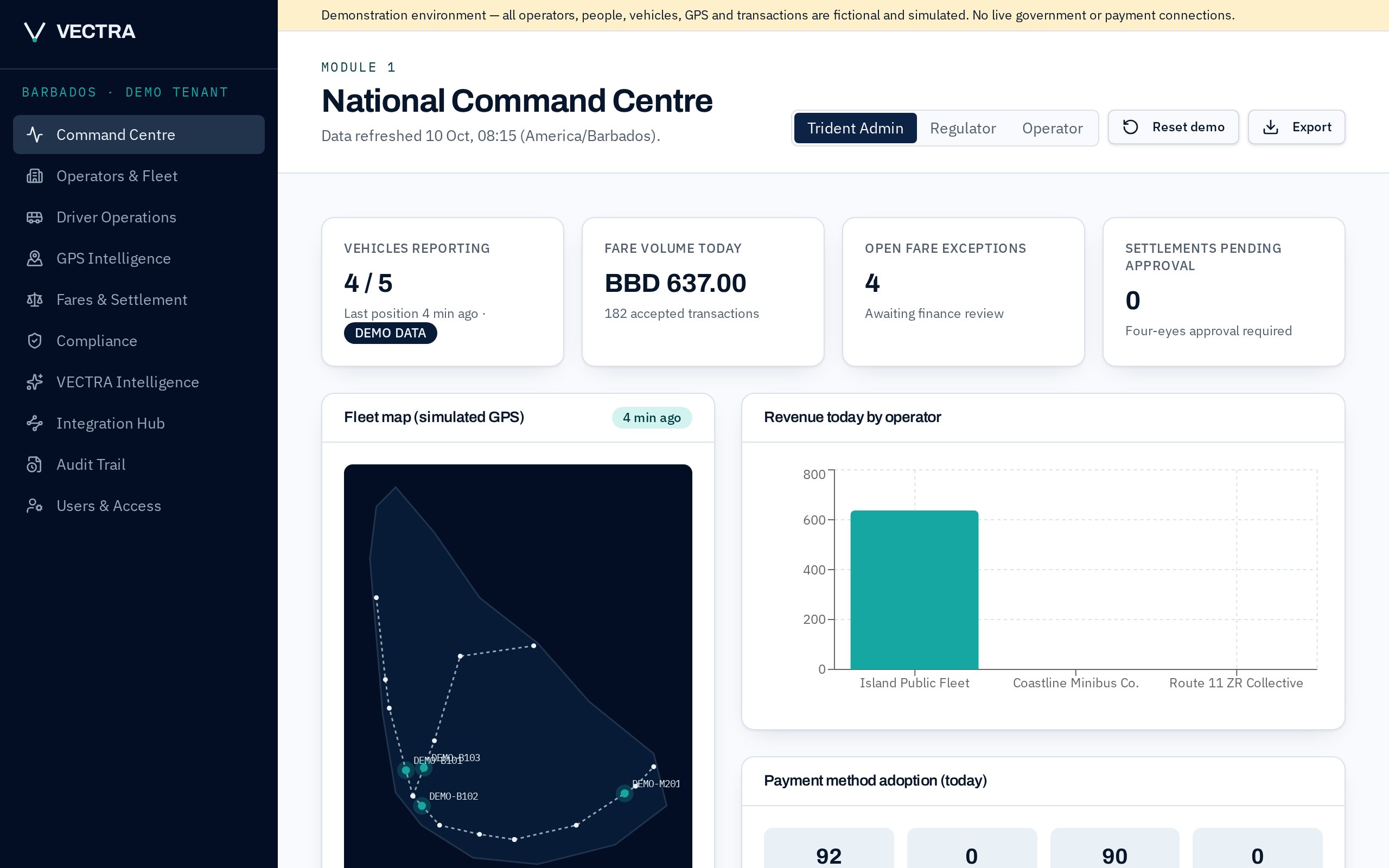
See your whole fleet in one place
The Command Centre is the first thing you see after you sign in. It shows how many vehicles are reporting, today's fare volume, anything that needs checking, and where every vehicle was last seen on the map.
- Vehicle positions from your existing GPS or your drivers' phones
- Today's validated fares, by operator and payment method
- Alerts for incidents and expiring documents
02
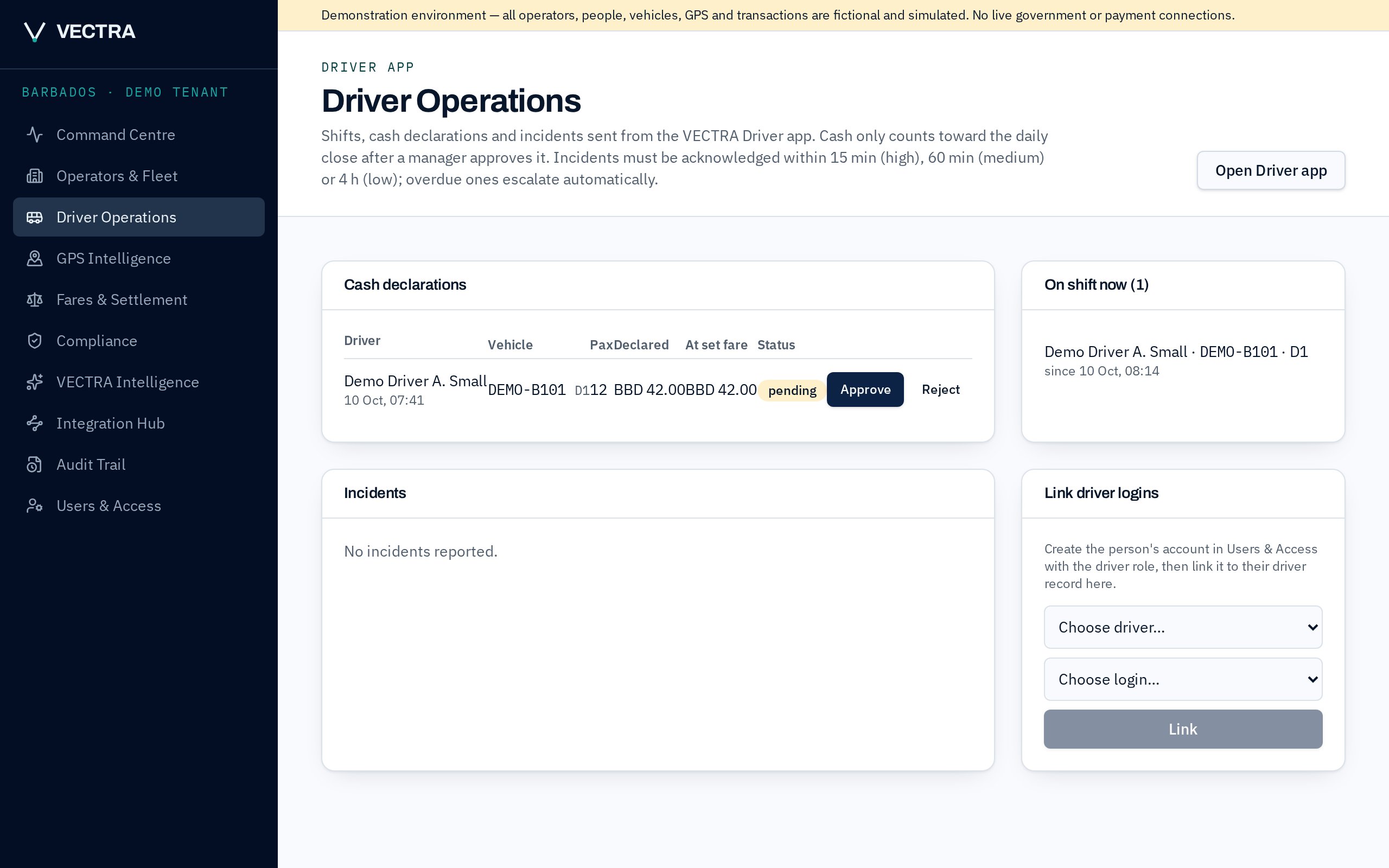
Your drivers report from their phone
Drivers start a shift, log trips and declare the cash they collected in the VECTRA Driver app. You see every declaration next to what the set fare says it should be, then approve or reject it.
- Cash only counts after a manager approves it
- The person who declared it can never approve it
- Incidents arrive with a response timer
03
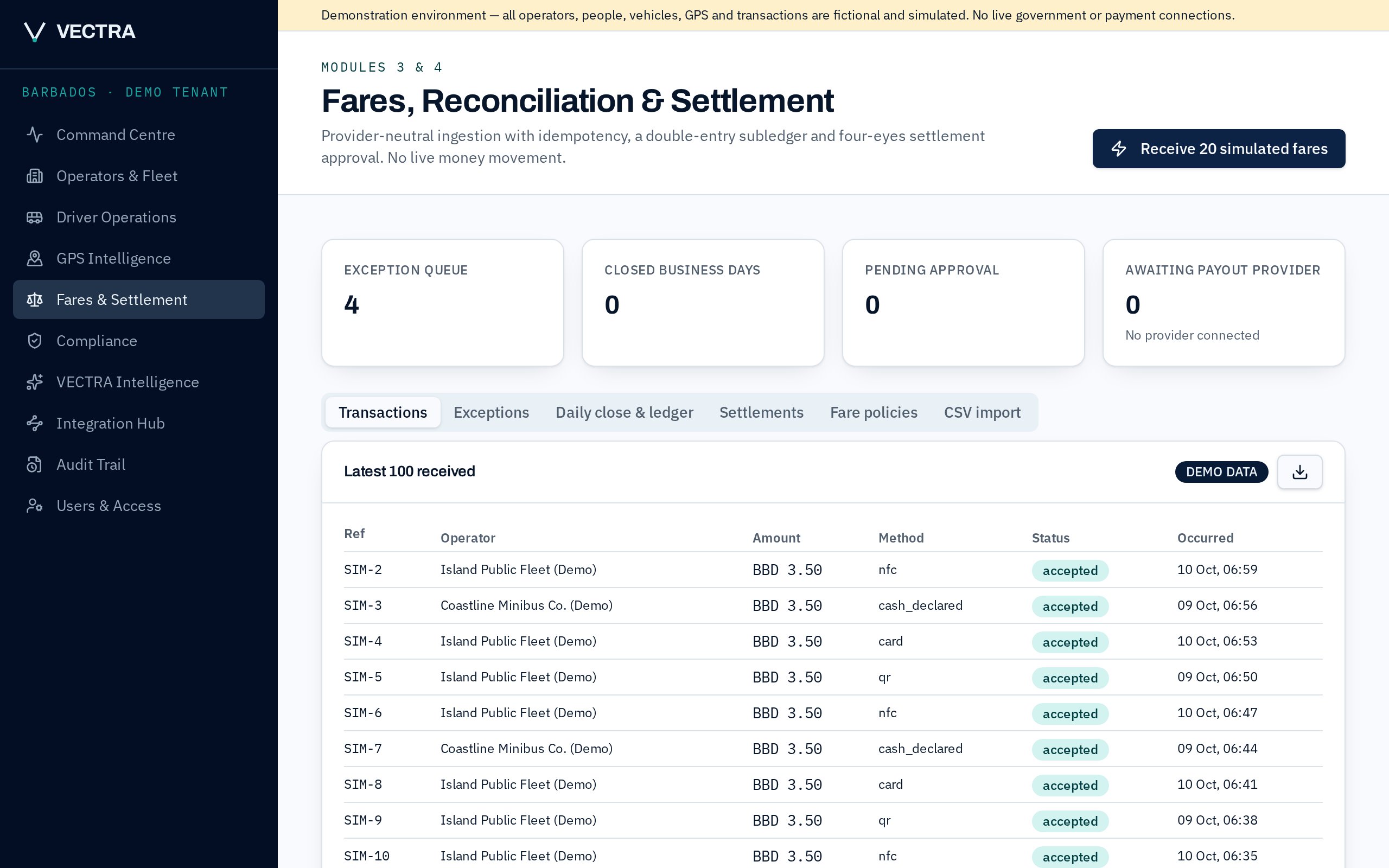
Every fare matched, every day closed
Card, QR, tap and declared cash all land in one list. VECTRA matches each fare to the right vehicle, route and day, flags duplicates and gaps, then lets you close the day with a balanced record.
- Duplicate fare messages are ignored automatically
- Closed days can't be edited afterwards
- Download CSV or PDF reports for your accountant
04
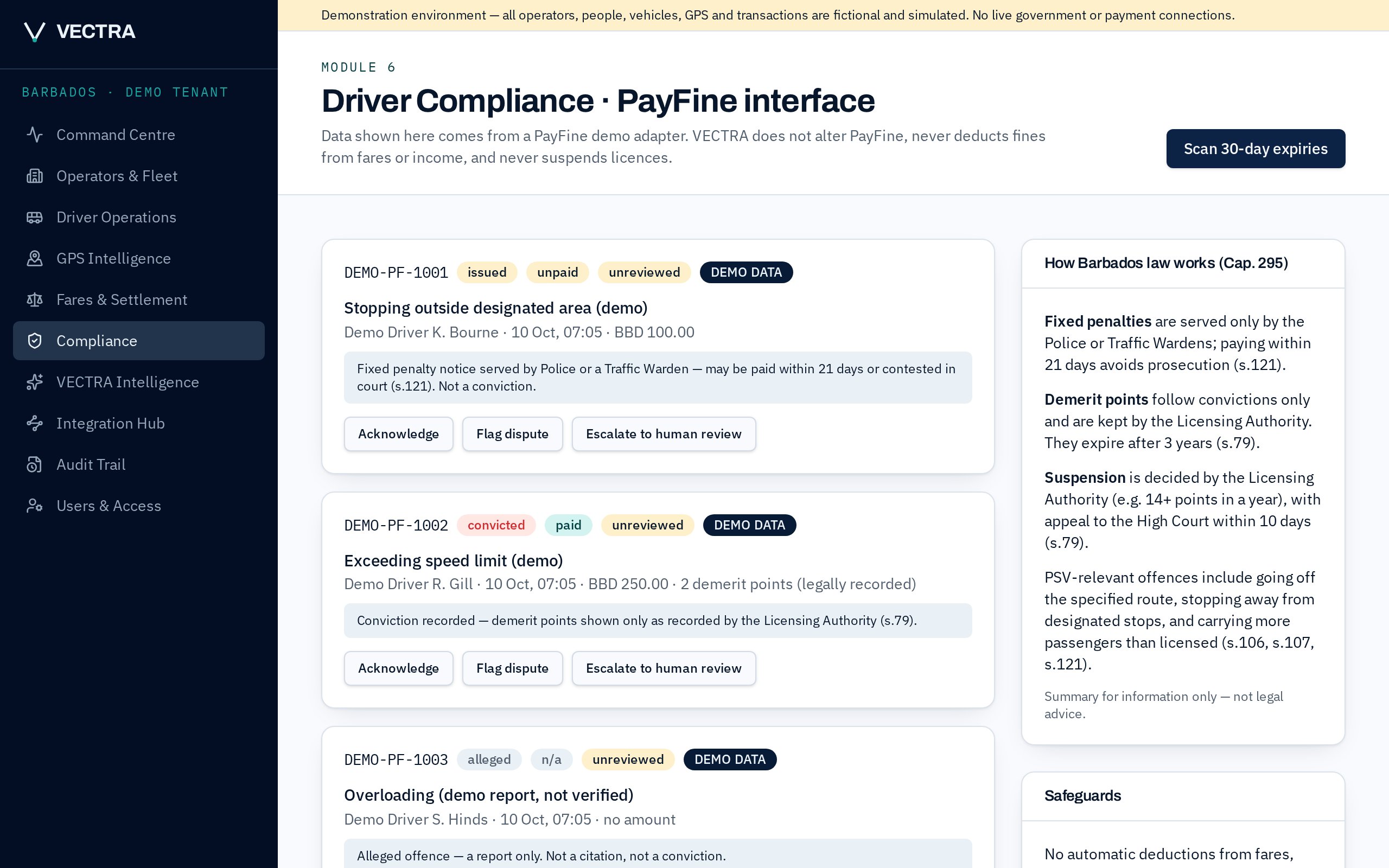
Stay ahead of permits and licences
VECTRA tracks PSV permits, road licences, insurance, roadworthiness and drivers' PSV licences, and warns you 30 days before anything expires. Tickets, alleged offences and convictions are kept clearly apart.
- 30-day expiry alerts for every vehicle and driver
- Follows the Road Traffic Act, Cap. 295
- No automatic fines or suspensions, ever
Getting started takes days, not months
Step 1
Register
Add your business, vehicles, drivers, conductors and routes. We help you set it up.
Step 2
Connect
Use the GPS and fare systems you already have, or start with your drivers' phones and a simple file import.
Step 3
Run
Drivers use the app, you approve the day. After 30 days you get a results report.
See it with your own vehicles.
Join the 30-day pilot for Barbados PSV owners. No new hardware, and we never hold your money.